



Your Garmin Forerunner is plugged in, but the screen won’t move past the charging image, or it shows a battery icon and nothing else. In most cases this can be fixed at home. Work through the steps below in order, starting with the quickest ones.
First, Figure Out Which Problem You Have
- Frozen on the charging screen or a “100%” battery screen. The watch has power but isn’t responding to buttons.
- Charging icon or green triangle, but no response. The watch may be charging but unable to start up.
- Black screen, even when plugged in. The battery may be fully drained, or the watch isn’t receiving power.
- Won’t charge at all? That’s a different problem. See our guide: Garmin Watch Not Charging? 7 Fixes That Actually Work.
Step 1: Restart Your Watch
If your watch has stopped responding, a restart can clear it. For the Forerunner 55, 165, 265 and 965, Garmin’s owner’s manuals describe the same two steps: hold the button for 15 seconds until the watch turns off, then hold it for one second to turn it back on. Garmin notes that restarting may erase some data or settings, so use this when the watch has stopped responding.
- Forerunner 55, 165 and 265: hold the LIGHT button. (55 manual, 165 manual, 265 manual)
- Forerunner 965: hold the button marked with the power icon. (965 manual)
Still not responding? Connect the watch to a reliable power source, such as a wall outlet or a computer, and hold the power button for a full 60 seconds. If the screen stays blank, release it, wait about 10 seconds, and try again. Garmin’s general guide says saved activities shouldn’t be affected, though you may lose small amounts of data like recent steps.
Some older guides say to press MODE and LAP/RESET together. That only applies to very old models like the Forerunner 205, 305, 310XT and 910XT.
Step 2: Check the Power Source and Cable
Rule out the easy causes first:
- Try a different wall outlet or USB port.
- Check your power adapter. Garmin recommends an adapter that supports between 5V/1A (5W) and 5V/3A (15W), and notes that a lower output may charge more slowly. Specs vary by model: the Forerunner 55 and 265 manuals list a 5 W minimum, and the 965 manual lists 15 W. The 165 manual doesn’t give a wattage, so use a Garmin-approved adapter. See the charging pages for the Forerunner 55, 165, 265 and 965.
- Look closely at the cable. The pins should be straight and sit at the same height, with none bent or missing. If they aren’t, cleaning won’t help and the cable needs replacing.
- Take off any case or cover that might sit over the charging contacts.
- Test the cable on another device or watch, if you have one, to tell whether the problem is the cable or the watch.
Step 3: Clean the Charging Contacts
Dirt or residue on the metal contacts can stop the watch from charging, and Garmin’s manuals warn that moisture and dirt on the contacts can cause corrosion. Use a cotton swab or a pencil eraser with a little isopropyl (rubbing) alcohol and gently clean the contacts on both the watch and the charger. Garmin also lists eyeglass cleaner and electronic screen wipes as safe, non-abrasive options. Let everything dry completely before plugging in, then try the restart from Step 1 once more.
For a full walkthrough, see Fix 1 in our not-charging guide.
Step 4: Let It Charge, Then Try Again
If the battery was fully drained, the watch may take a while to show signs of life. The Forerunner 165 manual says charging a fully depleted battery takes up to two hours, so leave the watch connected to a reliable power source for a while before trying Step 1 again. Charging times vary by model, so check your manual.
If Your Watch Is Completely Dead
If the screen stays black after the steps above:
- Test with a different cable and adapter
- Make sure the contacts on both the watch and the charger are clean, dry, and aligned
- Try the restart again while the watch is connected
If nothing works, the battery or internal hardware may need servicing.
When It’s the Cable, Not the Watch
If the watch charges fine with another cable but not with the original, or if the pins on your cable look bent, uneven, or worn, it’s time for a replacement. A misaligned connector, worn pins, or corrosion can interrupt charging even when everything else looks fine.
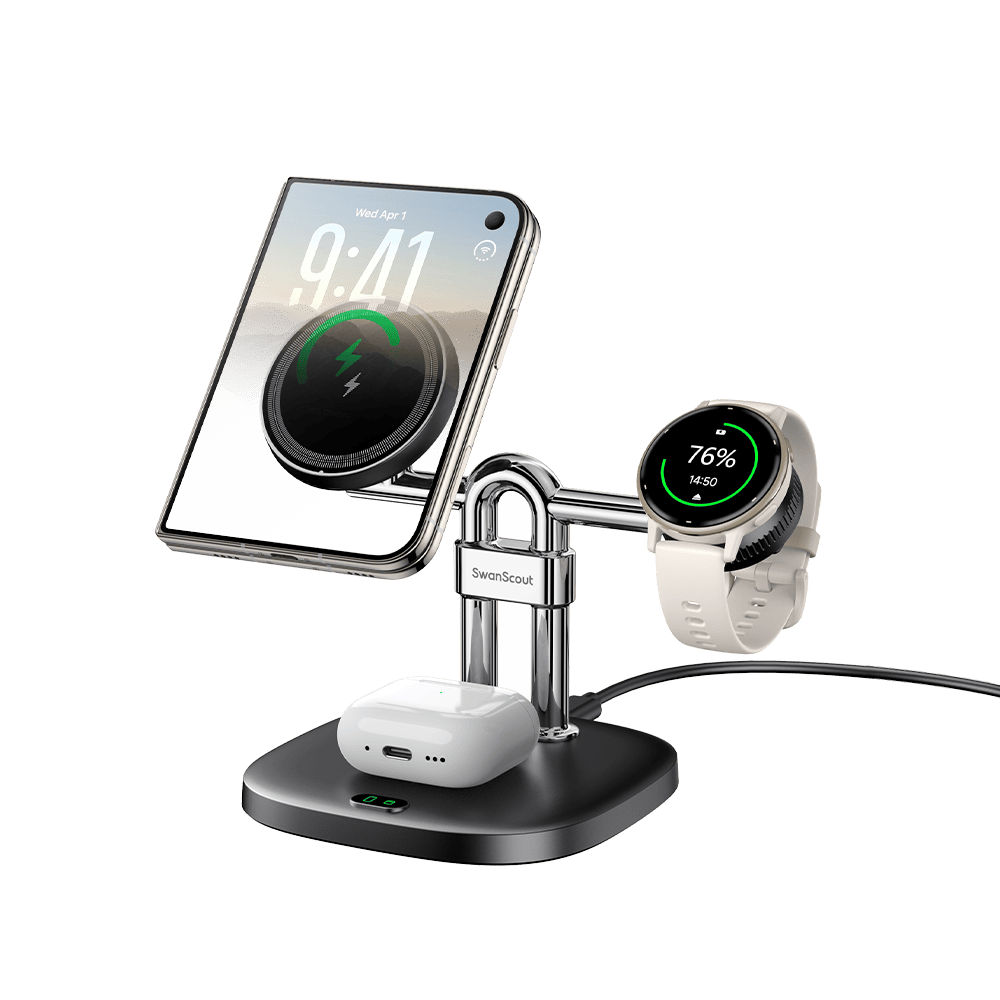
Two SwanScout options are compatible with Forerunner 55, 165, 265, and 965:
- SwanScout 505GM is a charging stand with a connector that rotates 90° left and right to line up with different Garmin models. The pins are palladium-plated to resist oxidation. It includes a USB-C cable; a power adapter is not included, so use one that meets your watch’s requirement.
- SwanScout 510GM is a pocket-sized charger with a rotating USB-C connector and a USB-A adapter. It plugs directly into a power source, making it a handy backup for travel.
Check the compatibility list on each product page before ordering, or browse the full SwanScout Garmin charger collection.
When to Contact Garmin Support
If you’ve tried everything above and the watch still won’t respond, it may be a battery or hardware issue. Contact Garmin Support and mention which steps you’ve already tried.
FAQ
How do I unfreeze a Garmin watch?
Hold the button for 15 seconds until it turns off, then hold it for one second to turn it back on. See Step 1 for your model.
Can I leave my Garmin charging overnight?
Garmin says its products are designed to stop charging once the battery is full, so overcharging isn’t a concern. That said, the Forerunner 55, 165, 265 and 965 manuals list disconnecting the watch at 100% as the final charging step, so unplugging once it’s full is the simplest habit if you prefer to follow the manual to the letter.
How long does a Garmin take to charge?
It varies by model and power source. Garmin’s Forerunner 165 manual says a fully depleted battery takes up to two hours.
My Garmin won’t turn on after charging. What should I try?
Start with the restart in Step 1, then check the cable, adapter, and contacts in Steps 2 and 3.




Leave a comment
This site is protected by hCaptcha and the hCaptcha Privacy Policy and Terms of Service apply.